

Jira
Mention @Devlo in a Jira ticket and devlo works on a GitHub repository, then reports back in the ticket.
Before you begin
Section titled “Before you begin”- You’re an owner or admin of the devlo organization.
- GitHub is connected.
- You’re an admin of the Jira site.
Connect Jira
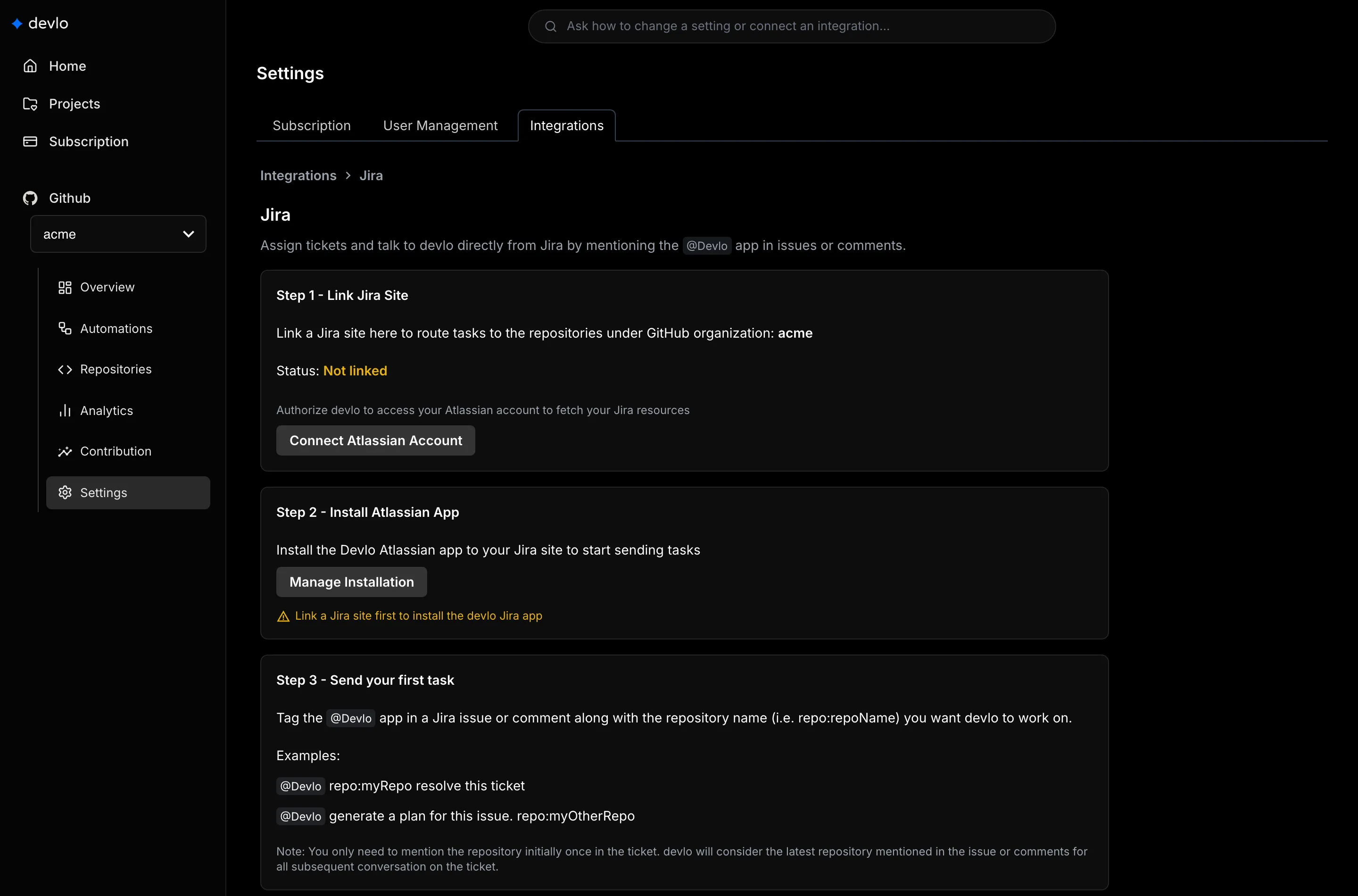
Section titled “Connect Jira”- Go to Settings > Integrations > Jira.
- Select Connect Atlassian Account and authorize devlo.
- Select Link next to your site.
- Select Manage Installation and install the devlo app from the Atlassian Marketplace.
Mention devlo
Section titled “Mention devlo”@Devlo repo:web resolve this ticketName the repository once per ticket with repo:<name>: its name without the owner (web for acme/web), spelled exactly as on GitHub.
- devlo updates one status comment as it works.
- For non-trivial work it posts a plan first. Mention
@Devloagain to approve or change it. - It opens a pull request on GitHub and links it in the ticket.
- It changes Jira tickets only when you ask.
Limits and disconnecting
Section titled “Limits and disconnecting”One Jira site per devlo organization, and one organization per site. To disconnect, select Unlink next to the site, then uninstall the devlo app from Jira.
Related
Section titled “Related”Also known as: Atlassian, @Devlo, Jira integration, repo:, tickets, Forge app.