

Manage billing
Manage billing for your personal account on Subscription in the sidebar. For an organization, owners and admins use Settings > Subscription. An organization that shares the installer’s plan is billed on that person’s Subscription page.
Open your personal subscription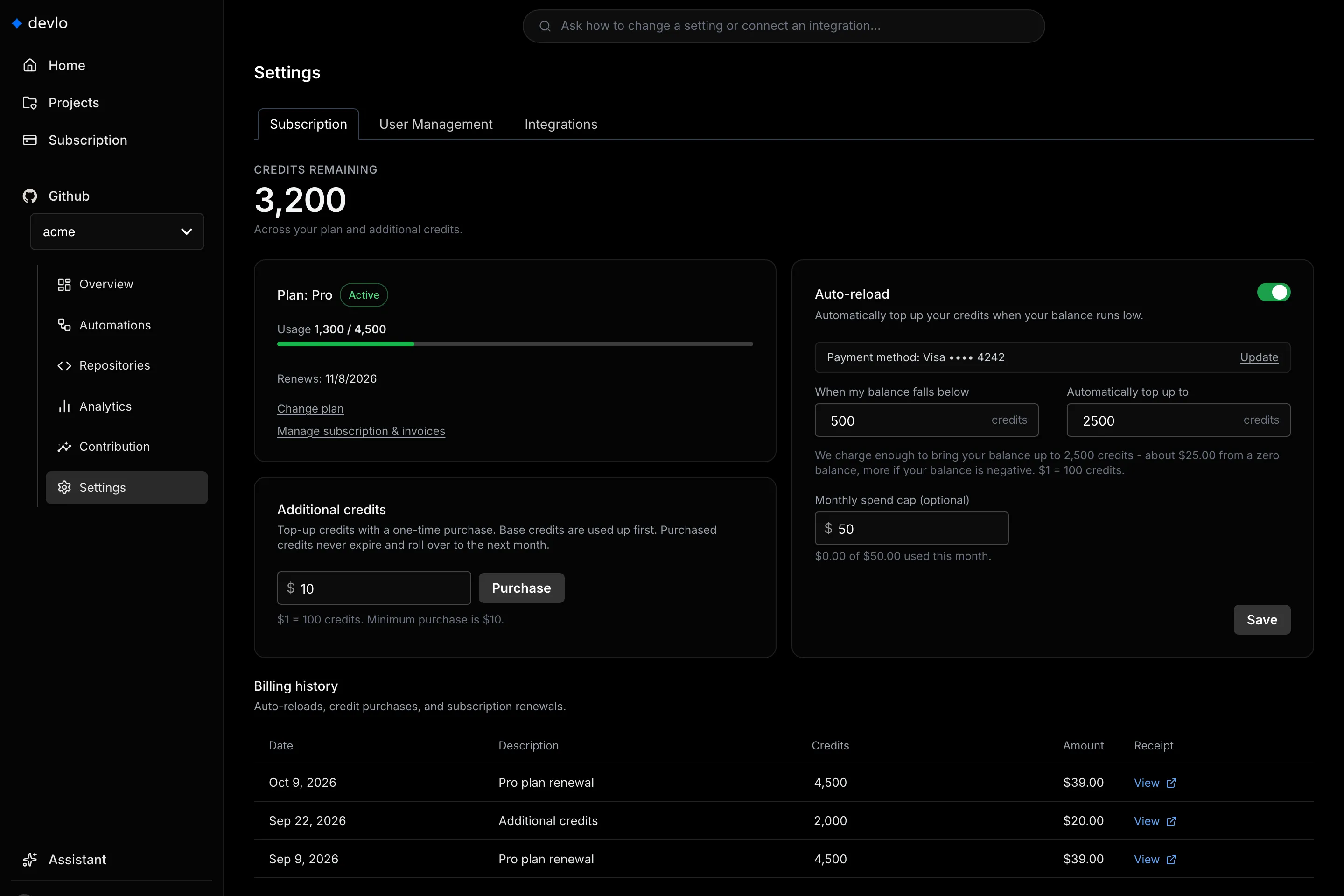
Change your plan
Section titled “Change your plan”Select Upgrade or Change plan, pick a plan in Choose a plan, and confirm in Stripe. Upgrades take effect right away, and you pay the prorated difference. Downgrades start at the end of the billing period.
Buy credits
Section titled “Buy credits”In Additional credits, enter a dollar amount, select Purchase, and pay. $1 buys 100 credits, and purchased credits never expire.
Set up auto-reload
Section titled “Set up auto-reload”- If no card is on file, select Add payment method in Auto-reload.
- Turn on Auto-reload.
- Set When my balance falls below and Automatically top up to.
- Optionally, set Monthly spend cap.
- Select Save.
To change the card auto-reload uses, select Update in Auto-reload. If auto-reload can’t charge your card, the page asks you to update your payment method. After you do, check that Auto-reload is on and select Save.
Update your card, get invoices, or cancel
Section titled “Update your card, get invoices, or cancel”Uninstalling the devlo GitHub App doesn’t cancel a paid plan. To cancel, update your plan’s card, or download invoices, select Manage subscription & invoices to open the Stripe portal. A canceled plan stays active until the period ends, and purchased credits stay. Billing history lists each charge with its receipt.
Failed payments
Section titled “Failed payments”If a renewal fails, the plan shows Past Due, and its credits and paid-plan features stop until the payment goes through. Purchased credits still work. Update your payment method in the Stripe portal.
Related
Section titled “Related”Also known as: subscription, billing, buy credits, top up, auto-reload, auto reload, payment, card, add credits, spend cap, declined, cancel, downgrade, upgrade, invoices, billing history, Stripe portal, past due, failed payment, refund.