

How automations work
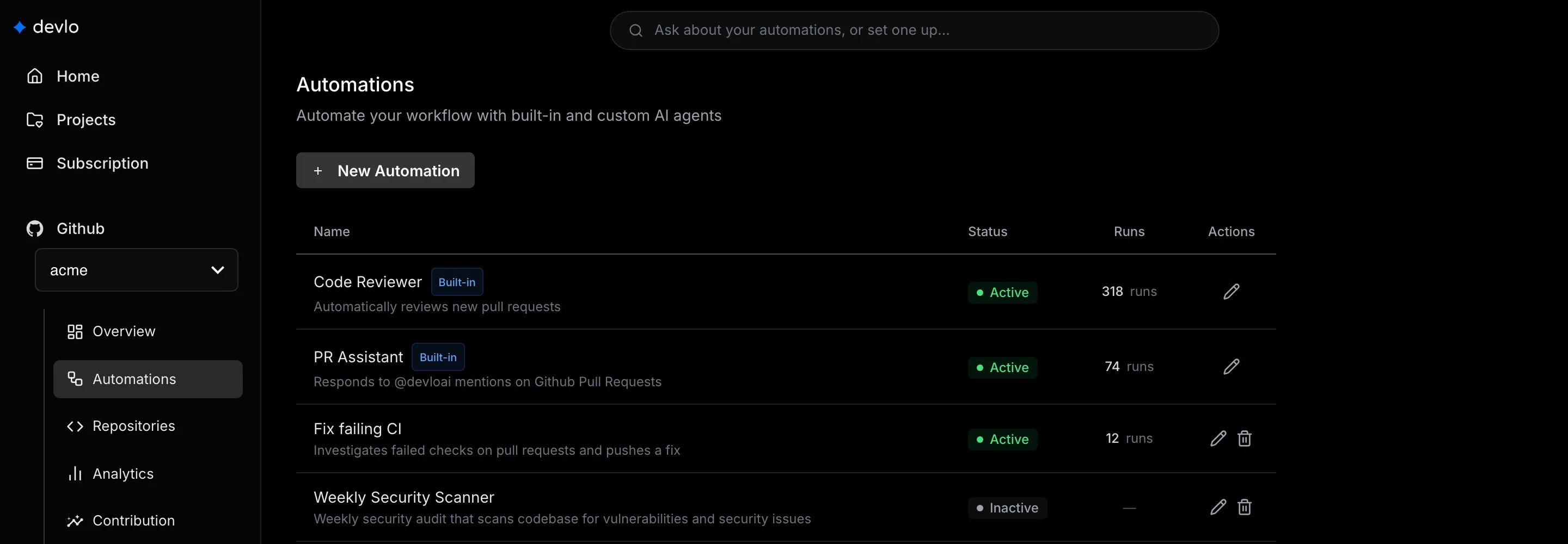
An automation runs devlo on your repositories when something happens on GitHub, or every day or week, following instructions you write. Owners and admins manage them from Automations in the sidebar.
Built-in automations
Section titled “Built-in automations”devlo comes with two: the Code Reviewer, which reviews new pull requests, and the PR Assistant, which answers @devloai on pull requests. Both are on by default. You can edit them but not delete them. To turn one off, see Turn an automation on or off.
devlo also adds a Weekly Security Scanner, turned off, when you connect GitHub. You can turn it on, edit it, or delete it.
Runs and credits
Section titled “Runs and credits”Each run covers one repository. An event starts one run per matching automation; a schedule starts one run per repository in scope. Results appear on GitHub, or by email with Send Email.
Each run uses credits. Send Email needs a paid plan, and running commands such as tests needs Startup or higher; see Triggers and capabilities.
Next steps
Section titled “Next steps”Also known as: custom agents, agents, bots, workflows, scheduled jobs, cron, GitHub events, Code Reviewer, PR Assistant, Weekly Security Scanner.