

Customize reviews
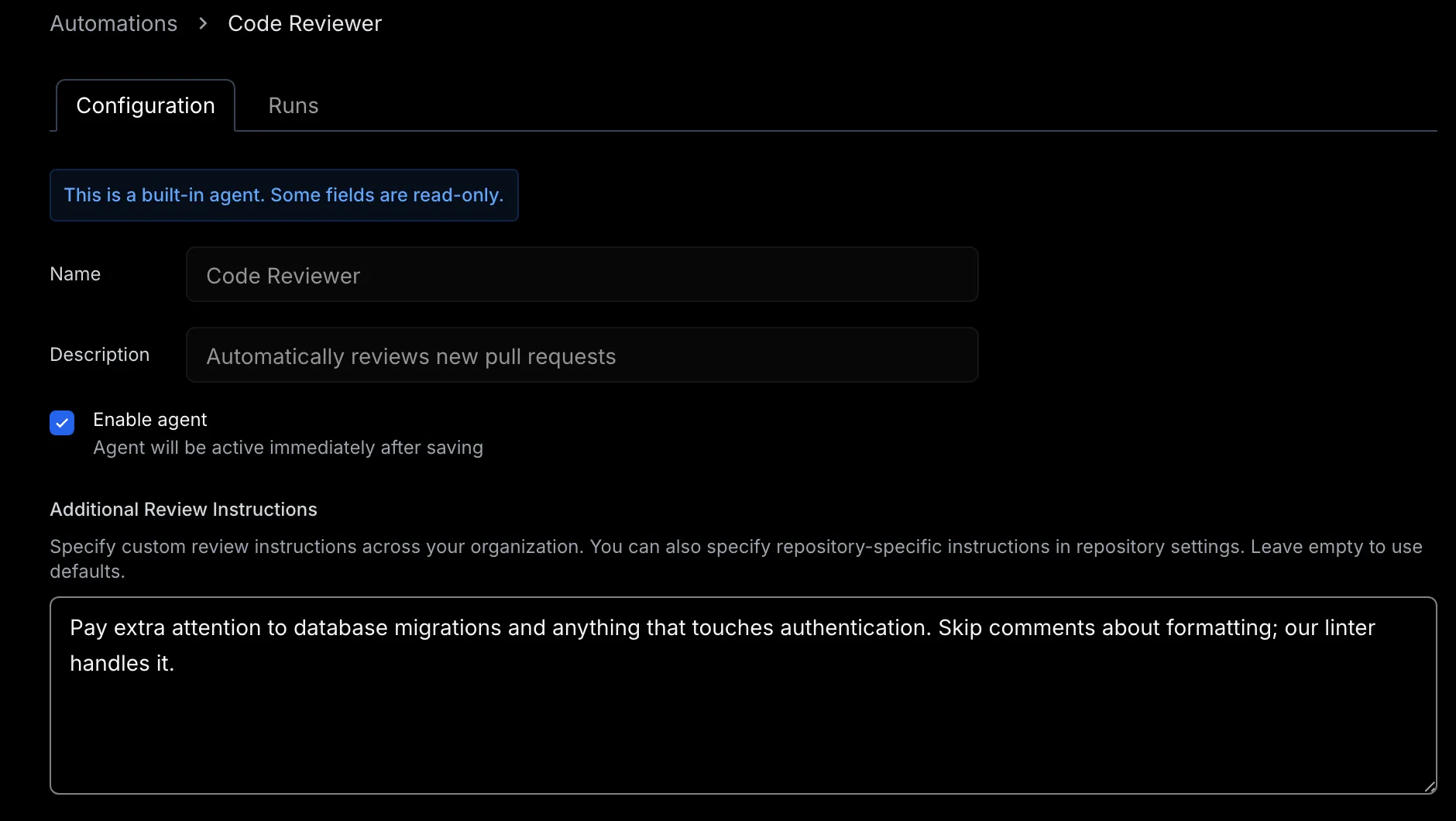
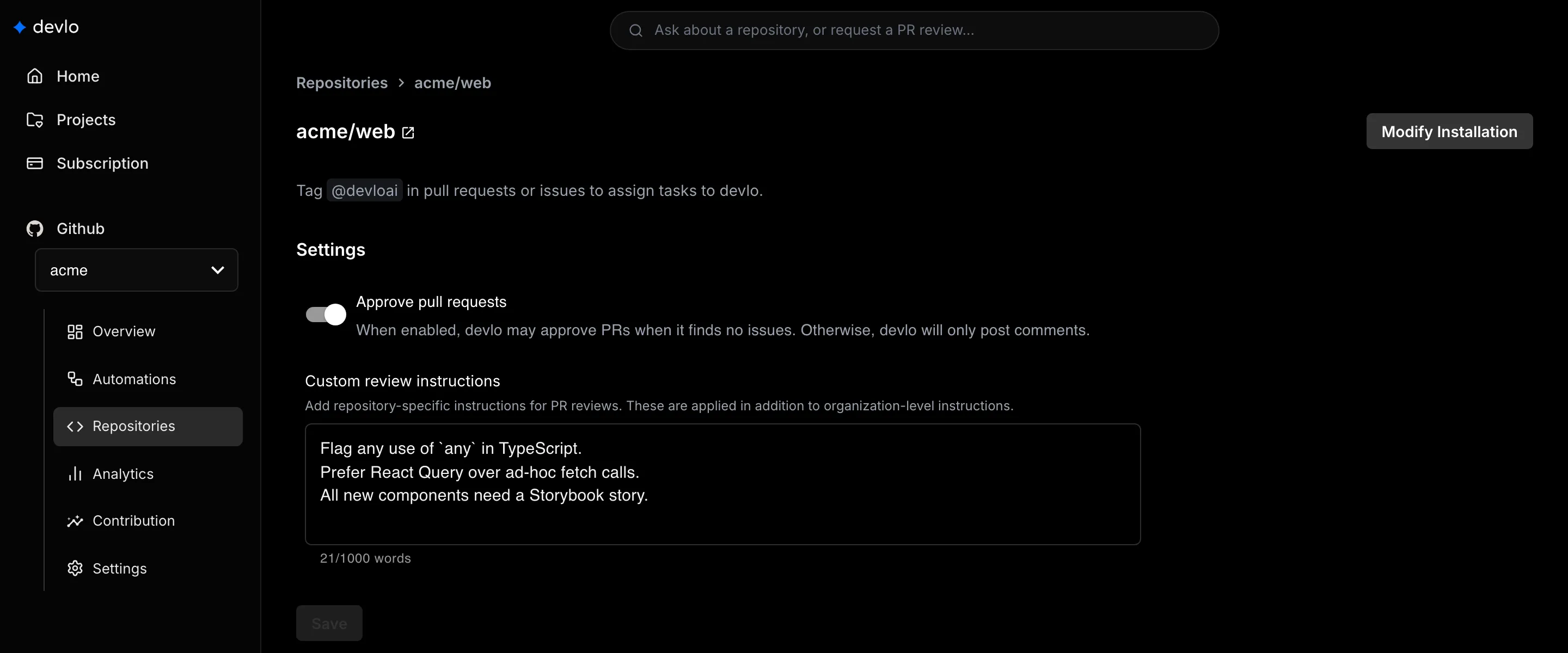
Tell devlo what to focus on with instructions, and choose whether it may approve pull requests. All instructions apply together. Owners and admins can change these settings.
Where each setting lives
Section titled “Where each setting lives”| Setting | Where | What it does |
|---|---|---|
| Additional Review Instructions | Automations > Code Reviewer | Applies to every repository |
| Custom review instructions | Repositories > your repository | Adds rules for one repository, up to 1,000 words |
| Approve pull requests | Repositories > your repository | Off by default. When on, devlo can approve pull requests |
review.md or AGENTS.md |
Your repository | Read on every review |
Code review ignores changes a pull request makes to review.md or AGENTS.md. Merge them first.
Write effective instructions
Section titled “Write effective instructions”Be specific, because devlo flags changes that break your instructions. To skip paths, list them in your instructions.
Focus on security and error handling.Ignore files under /generated and /migrations.Don't comment on formatting. Prettier handles it.Teach devlo
Section titled “Teach devlo”- Vote with a thumbs up or thumbs down on inline comments.
- Tell it in a pull request comment, for example
@devloai remember that we use snake_case for database columns. - Add instructions for rules that must always apply.
After a pull request merges, devlo learns from the votes and from what you changed. This uses a few credits. What devlo learns applies to later reviews on that repository. To correct it, tell @devloai what to change, or add an instruction.
Related
Section titled “Related”Also known as: review instructions, review.md, focus areas, ignore files, remember, feedback, thumbs up, thumbs down.